
Built for small service businesses
Use it for painting, plumbing, HVAC, landscaping, cleaning, handyman, roofing, electrical, flooring, and other quote-based local services.
Send estimate. Customer accepts online. Follow up clearly.
ServiceCard helps contractors and local service businesses turn quote requests into branded estimates customers can accept online, without adopting a full field-service platform.
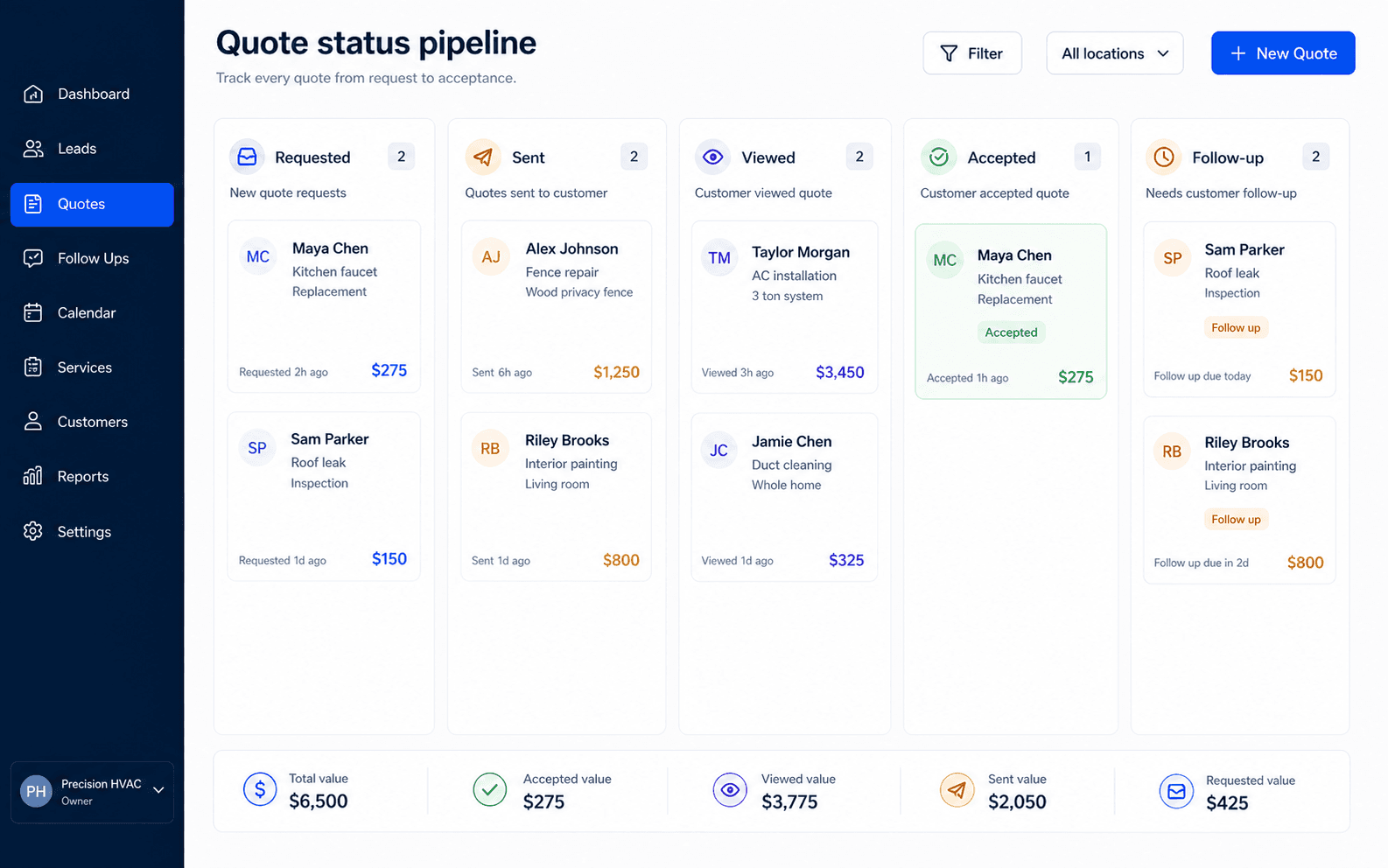
Generate your quote pageCustomers request a quote, you send a branded estimate, they review scope and price from a link, then accept online. The dashboard keeps the status visible.
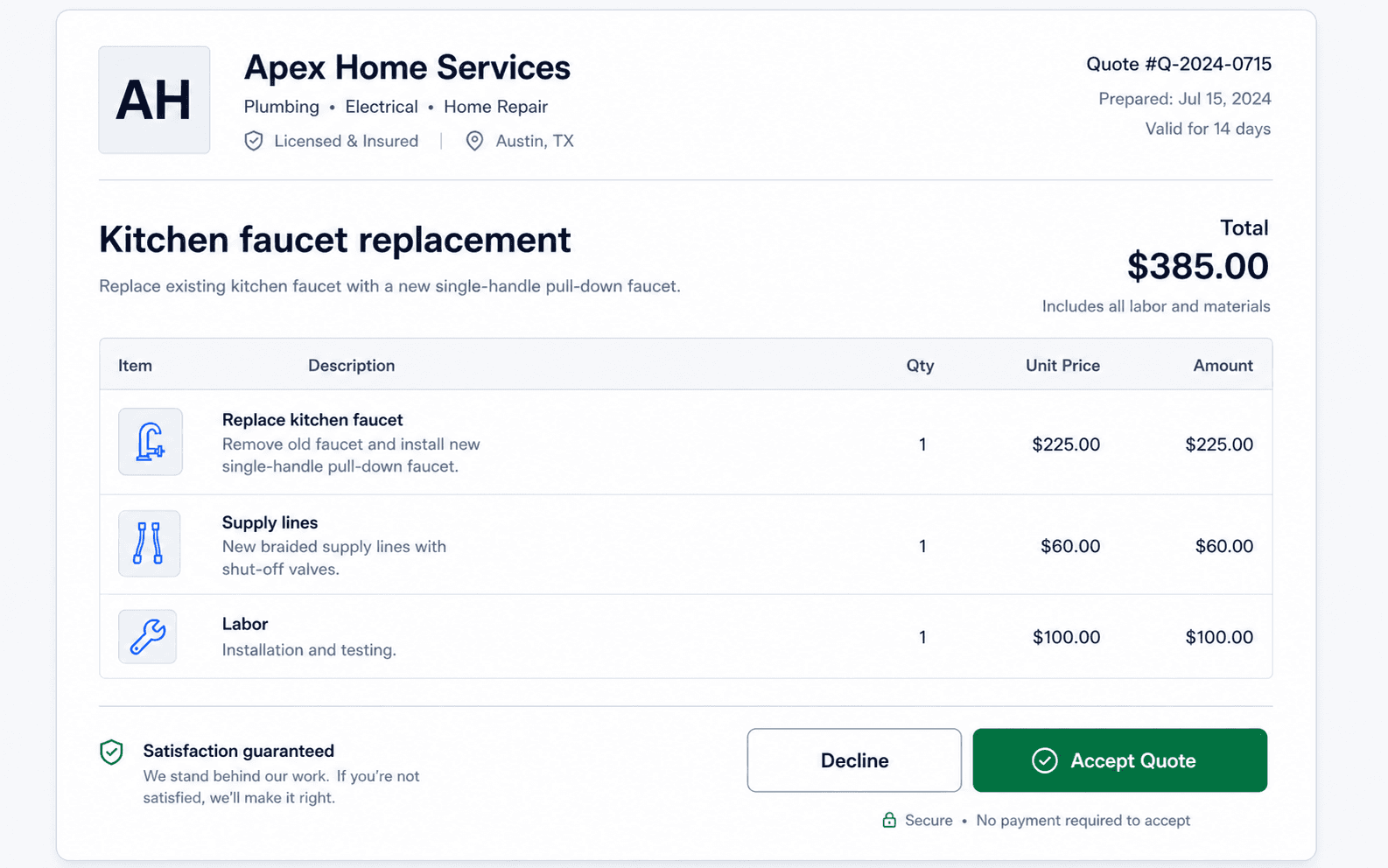
Online acceptance is useful even when you collect payment separately. It creates a clear yes from the customer and a cleaner record for follow-up.
Every quote you send shows up in the pipeline — requested, sent, viewed, accepted, or needing follow-up — so nothing slips through the cracks.
Use it for painting, plumbing, HVAC, landscaping, cleaning, handyman, roofing, electrical, flooring, and other quote-based local services.
Yes. Customers open the quote link, review the scope and price, and accept online.
No. You can use quote acceptance and follow-up tracking even if you collect payment outside ServiceCard.